
ChatGPT + your iPhone

Can ChatGPT set a reminder on your iPhone?

Short answer: no. ChatGPT and Claude can only nudge you inside their own app — they can't fire a real iPhone alarm or reminder. Squirrel Brain is the app that actually does it: say it, snap it, or forward it, and it becomes a real alarm — even a phone call.

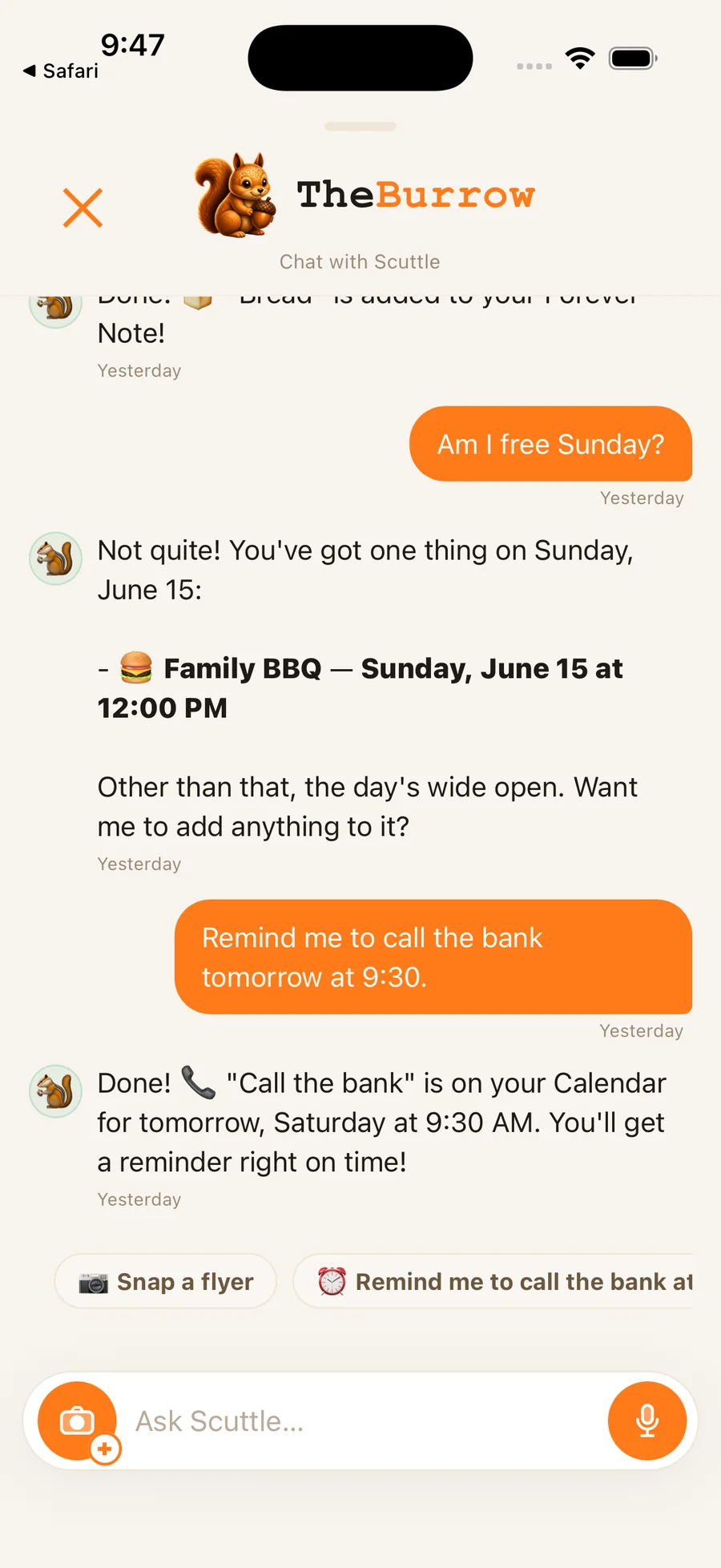
The Burrow in Squirrel Brain, where an AI agent can read your day and set reminders on your behalf

Beyond a chatbot

Hear what ChatGPT can't do — right now

Tap the phone and hear the call a chatbot can't make: a real ring, a real voice, right through your locked screen. No download, no sign-up.

👆 Tap the phone to play the demo
9:41
Squirrel Brain
Your squirrel — Squirrel Brain
Scuttle
Squirrel Brain
INCOMING CALL

Tap anywhere to play the demo.

Decline
Accept

The honest answer

Why ChatGPT can't ring your phone by itself

ChatGPT's and Claude's built-in "tasks" or "reminders" only run inside the assistant's own app — they can't reach into iOS to set a real alarm, add a calendar event, or ring your phone. Apple doesn't let a chat app schedule system alarms for you. So if you've asked ChatGPT to "remind me at 3 PM" and nothing happened on your lock screen, that's why.

The bridge

Squirrel Brain gives an AI agent real actions on your phone

Squirrel Brain has a built-in MCP (Model Context Protocol) server. You generate a personal key in the app, connect an MCP-capable agent — Claude Code, Cursor, or one you run yourself — and it gets a real set of tools — set an alarm, create a reminder, read your day, file a note, and even trigger a phone-call-style reminder — all on your behalf, on your actual phone.

  • Connect Claude Code, Cursor, OpenClaw, or your own agent over MCP
  • The agent sets real alarms, reminders, and calendar events — not in-chat notes
  • Every action is traceable back to the agent that made it

Optional, not required

You don't need an AI agent to use it

The MCP server is a power-up, not a requirement. Squirrel Brain works great on its own — speak it, snap it, or screenshot it and it becomes a reminder. The agent connection is there for people who want their assistant to actually do things on their phone.

One app for everything you don’t want to forget

ChatGPT + your iPhone is one of the things Squirrel Brain does. The Squirrel Brain AI reminder app turns voice notes, photos, screenshots, texts, and emails into reminders, alarms, notes, and calendar events — then makes sure you follow through.

Join the launch list

Common questions

Questions, answered

Can ChatGPT or Claude set a reminder or alarm on my iPhone?

Not on their own. ChatGPT and Claude can only create tasks that live inside their own app — they can't set a real iOS alarm, reminder, or calendar event. Squirrel Brain does it for you: capture anything and it becomes a real alarm. MCP-capable agents like Claude Code can also drive it directly — though ChatGPT itself can't connect custom MCP servers yet.

How does Squirrel Brain let an AI agent act on my phone?

You generate a personal key in the app and connect your agent over MCP (Model Context Protocol). The agent then gets real tools — set an alarm, create an item, read your daily brief, save a link, and trigger a phone-call-style reminder — and every action is traceable to the agent that made it.

Which AI assistants work with it?

Any MCP-compatible agent that can send an API key: Claude Code, Claude Desktop, Cursor, plus custom agents you run yourself. It's standard MCP, so it isn't locked to one assistant — though consumer ChatGPT can't connect custom MCP servers yet.

Do I have to connect an agent at all?

No. Squirrel Brain works fully on its own — voice, photo, and screenshot capture all become reminders without any AI agent. Connecting an agent is an optional power feature.

Stop trying to remember it all

Join the launch list — we’ll email you the moment Squirrel Brain is ready.

Join the launch list